 Enhanced Export PRO
- General
- Customizing templates
- General
- How tos
- Licensing
Purchase licenses
Introduction
Enhanced Export PRO is licensed through subscriptions. You can have multiple subscriptions side by side with separate billing and management. Each user who wants to use the extension needs to have an active subscription, or they will see this screen when they go to the Export tab.
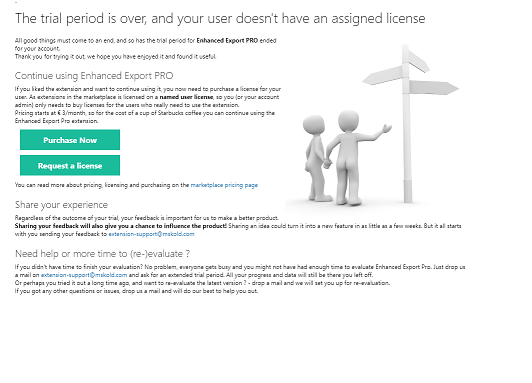
From here you can purchase a subscription or request a license from an existing subscription in your organization.
Purchasing a new subscription
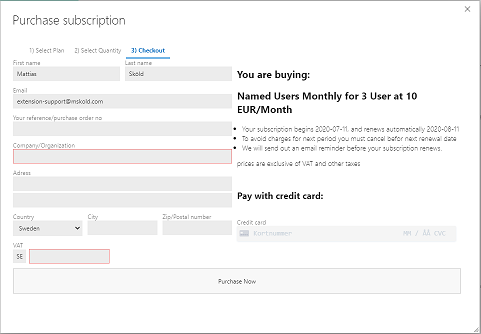
You can purchase a new subscription with a credit card directly through Enhanced Export PRO’s self-service online purchase. A digital receipt/invoice will be sent by email.
The purchase process is a simple four-step process.
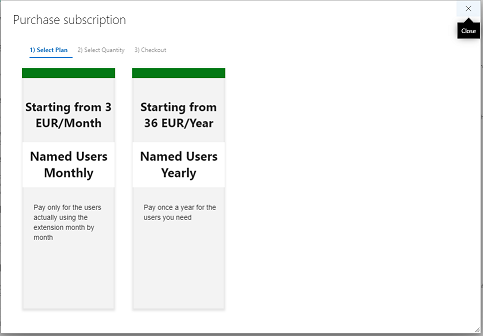
1. Select a plan
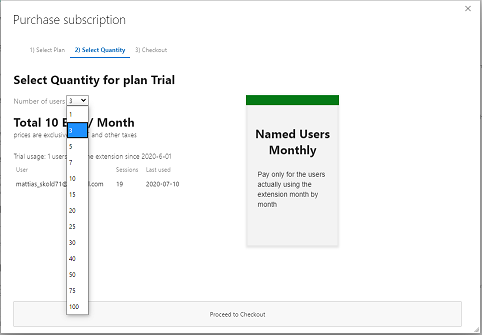
2. Select a quantity
3. Provide customer & credit card information
4. Assign users to the purchased subscription.
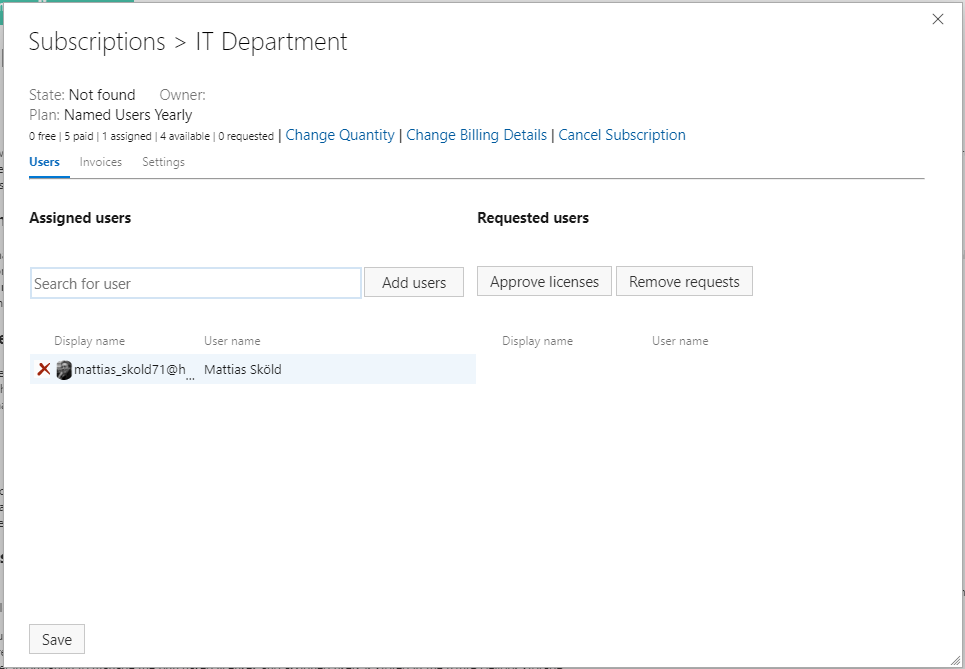 You can search for users and add them to the subscription, or you can approve users who have requested a license.